Truemag

  • Newsletters
  • Thought Leadership
  • Mobility
  • Safety
  • Work Trucks
  • Videos
  • Home
  • Subscribe
  • Contact Us
  • Media Kit
  • Who We Are

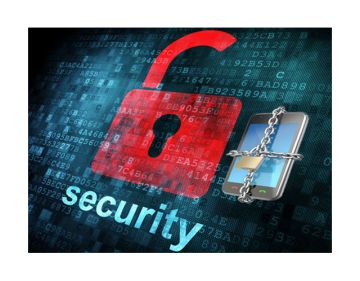
Staying Safe on Your Smartphone

USA Today

The launch of Apple’s iPhone 7 has been greeted with much enthusiasm.

The new phone comes with all of the latest bells and whistles, including the iPhone 7 Plus’ dual-lens camera. However, when getting a new phone many people give little thought about what they need to do to protect their privacy and security.

Whether you are getting a new smartphone or continuing to use an older model, everyone should be taking precautions to protect their privacy and security.

Here are 10 ways to protect your privacy and security on your smartphone:

1.  Password protect your smartphone and use a complex password that cannot be easily guessed.  A good way to create a strong password using capital letters, small letters and symbols is to take a phrase, such as IDon’tLikePasswords and just add a couple of exclamation points or other symbols at the end to make a password like IDon’tLikePasswords!!!.  This is a strong password, and you can actually use this as a way of creating a base password that you can use to create unique passwords for all of your accounts by merely adding a couple of letters at the end of the password to customize the password for particular accounts.  For instance, your Amazon password could be IDon’tLikePasswords!!!ama.

2.  Particularly in these days in which ransomware presents such a tremendous threat, you should regularly backup the data, photos and videos from your phone to your computer, the cloud or even a USB external hard drive.  Depending on the type of phone you have, your smartphone may already provide a mechanism for backing up your data in the cloud or you can get an app which can be used to do this.

3.  Don’t store confidential information on your smartphone.  Hackers can’t steal what you don’t store on your smartphone.

4.  Disable Bluetooth when you aren’t using it.  If you are not pairing it to something, such as your car, you should disable it so that nearby hackers can’t connect to your smartphone.

5. Install mobile security.  There are a number of good security software programs that can not only provide protection from viruses and malware, but also can help prevent unauthorized access to apps help detect phishing emails and even provide some protection from ransomware.  However, it is important to remember that the best security software is always going 30 days behind the latest zero-day defects, which are newly discovered software vulnerabilities that hackers and identity thieves exploit particularly before defenses are created.

Read more of the original article at USA Today.

Sep 26, 2016connieshedron
Some Cities are Taking Another Look at LED Lighting After AMA WarningPhone Makers Could Cut Off Drivers. So Why Don’t They?
Recent Posts
  • IMPROVLearning: How Comedy, Behavioral Science and AI Improve Fleet Safety
  • Improving Productivity with AI: Turning Fleet Data into Faster Decisions
  • National Safety Council Projects Increased Traffic Crash Risk during Fourth of July Weekend
  • Keep Every Heavy-Duty Maintenance Inspection on Track — Free Fullbay Checklist
  • Gain Data-Driven Insights into Commercial Vehicle Market Trends at Executive Leadership Summit
  • Last Chance to Save: Register for NAFA’s Maintenance Workshop
  • License Plate Cameras Are About to Start Tracking a Lot More Than Just Your Car
  • America’s Heavy EV Problem May End with Drivers Paying More
  • Trends in U.S. Drivers’ Perceptions and Attitudes Toward Vehicle Automation, 2019–2025
  • 2026 NETS Strength IN Numbers Conference: Early Bird Rates!
ASSOCIATION NEWS
Last Chance to Save: Register for NAFA’s Maintenance Workshop
How AFLA Is Positioning Itself for the Future of Fleet Mobility
‘Raise Your Hand and Get Involved’
NAFA Names 2026 Class of Fellows, Honoring Leaders in Fleet Management
Award Winners Honored at NAFA I&E
2026 NAFA I&E Seeks to Change Perceptions, Invigorate Fleets
NAFA Announces Lineup for Media Day at I&E 2026: Industry Leaders to Showcase the Latest Innovations
TECHNOLOGY
Improving Productivity with AI: Turning Fleet Data into Faster Decisions
Fleet Operations Are Changing – The Industry Needs to Evolve With Them
AI-Powered Vehicle Inspections Move Beyond the Checklist
Motive’s New Workforce Capabilities Aim to Improve Performance, Automate Rewards
AI + Human Insight: Why Fleet Leaders Need Both to Win in 2026
NTSB Finds Automation Overreliance Contributed to Two Fatal Ford BlueCruise Crashes
New AI Assistants Automate Fleet Data Analysis, Decision Making and More
CONFERENCES & WEBINARS
2026 NETS Strength IN Numbers Conference: Early Bird Rates!
AFLA 2026 – Keynotes Announced!
Private Fleets Flex at National Private Truck Council Conference
Free NAFA Webinar: Manage Your Fuel Cost Volatility
Registration Now Open for NETS Annual Conference
Early Bird Pricing for AFLA 2026 – Ending June 1
NAFA Online Seminar: Essentials of Fleet Management
INDUSTRY ANNOUNCEMENTS
Union Leasing Becomes Moventum Fleet Management as 70-Year Company Accelerates into Next Phase
Fleetio Wins Innovations Award at NAFA’s 2026 Institute & Expo
WIFM is heading to NAFA!
Cox Automotive Unveils Cox Fleet, Setting a New Standard for Fleet Uptime Nationwide
AFLA Canadian Fleet Professional of the Year Award: Nominations Open!
NAFA Webinar: Kickoff the 2026 100 Best Fleets Contest on December 4!
Join NAFA’s Free Fleet 101 Live Course

Fleet Management Weekly Newsletter Archive
Access to back issues of the FMW newsletter.

FMW Mobility
How mobility is rapidly changing the fleet management landscape.

Newsletter

Subscribe

FMW Fleet Videos
Video clips of industry leaders speaking on a variety of engaging hot topics in fleet.

2014-2020 © Fleet Management Weekly